macOS alpha, 0.32.0-alpha.1

Coding agents on your terms

Moguri runs AI coding agents from a desktop app, a terminal UI, a CLI and an SDK. You pick the model, where it runs, how much it may do without asking and how much it may spend. One local service on your Mac enforces those choices.

macOS on Apple silicon only. The first public release isn't out yet.

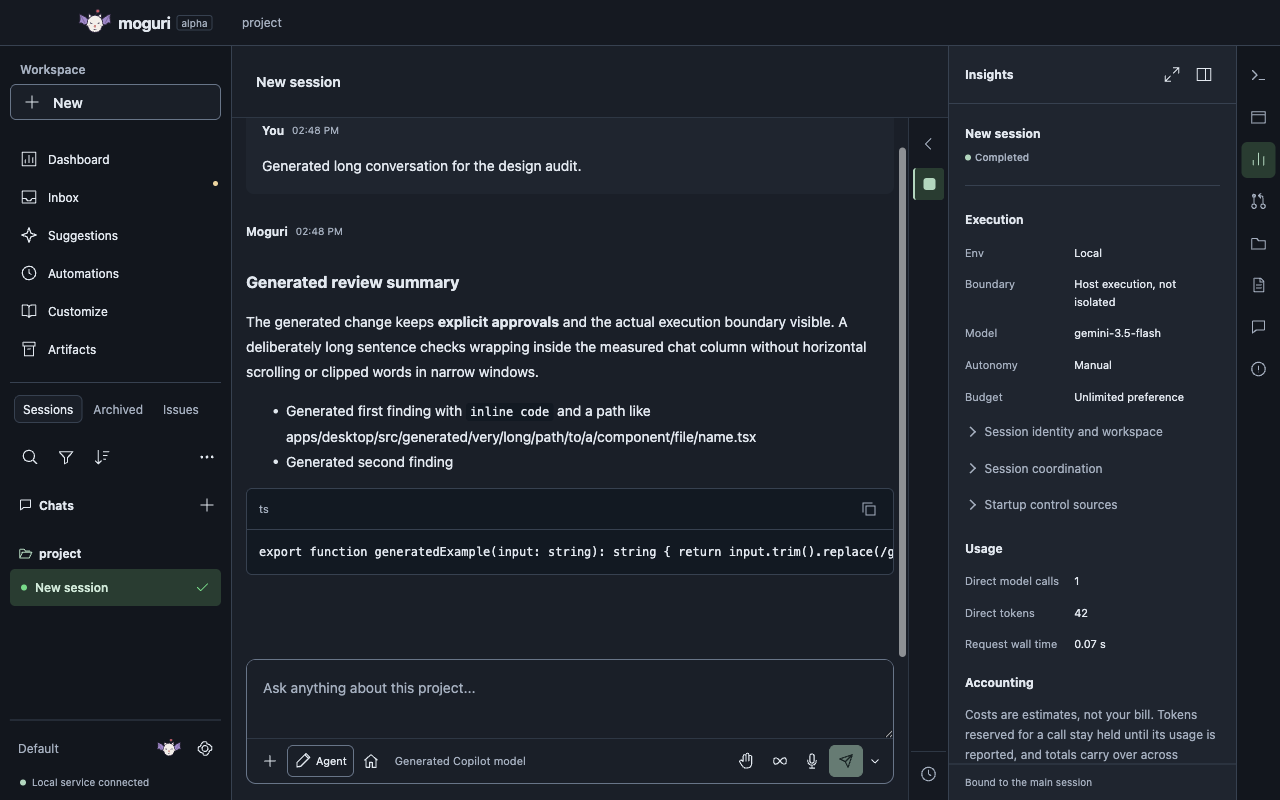
Moguri desktop in dark mode. The session list is on the left, a completed generated conversation with a formatted reply and code block is in the center, and the Insights panel on the right shows Env Local, host execution not isolated, a generated model, Manual autonomy, an Unlimited budget and the call's token usage. Open the full-size screenshot
Conversation and Insights. Moguri 0.32.0-alpha.1 desktop app with generated test data.

An agent you can inspect and stop

Moguri is for developers who want AI help on real engineering work without giving up control. The local service enforces approvals, budgets and execution boundaries, so they don't depend on a model following its prompt. Moguri is original code built on maintained open-source libraries, not a fork of another agent.

Models

Any model, one workflow

GitHub Copilot, OpenRouter, the Anthropic API, the OpenAI API, a ChatGPT account, OpenAI-compatible endpoints and local models. Kupo can route a task across the models you configured.


Autonomy

Autonomy per session

Manual, the default, asks before every command and edit. Guided recommends an answer and you confirm. Autopilot approves tools on its own, and hard policy still wins.

Execution

Boundaries you can see

Run on your Mac (Local), in a SendBox VM (Sandbox) or on your own SSH machine (Remote). If the environment you chose isn't available, work stops. Moguri never falls back to Local on its own.

Budgets

Honest accounting

Optional token and USD caps cover every model call. Usage a provider doesn't report shows as unknown, never as zero cost.

Continuity

Nothing gets lost

Drafts, queued prompts, sessions and artifacts survive restarts and crashes. Stopping work records exactly what was cancelled.

Tradeoffs

What it isn't yet

It runs on macOS on Apple silicon only, it's alpha quality, and many advanced workflows are still on the roadmap.

What works in the alpha

Each screenshot is the real desktop app running Moguri 0.32.0-alpha.1 with generated test data. Select one to open it at full size.

Four controls on every prompt

The composer shows Env, Model, Autonomy level and Budget. A new session starts Local, with no model until you sign in, Manual autonomy and no budget cap. You can change the defaults globally, per profile, per project or per session.

Projects and sessions
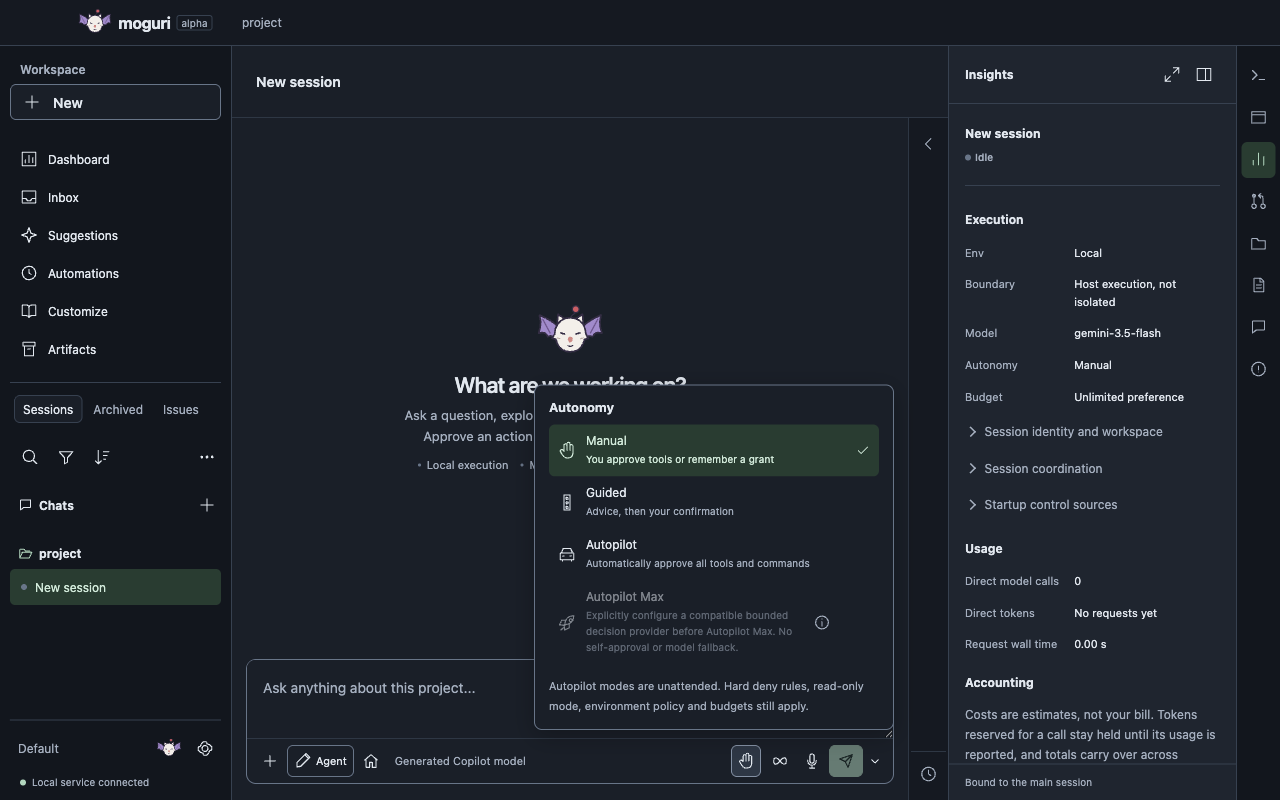
The composer's Autonomy menu in Moguri with Manual selected, plus Guided, Autopilot and a disabled Autopilot Max option. A note says hard deny rules, read-only mode, environment policy and budgets still apply. Open the full-size screenshot
Autonomy levels. Moguri 0.32.0-alpha.1 desktop app with generated test data.

Approve the exact action

With Manual autonomy, Moguri asks before it runs a command or edits a file. The card shows the exact command, where it runs and whether it's isolated. Approve it once, remember a grant or deny it.

Permissions and execution
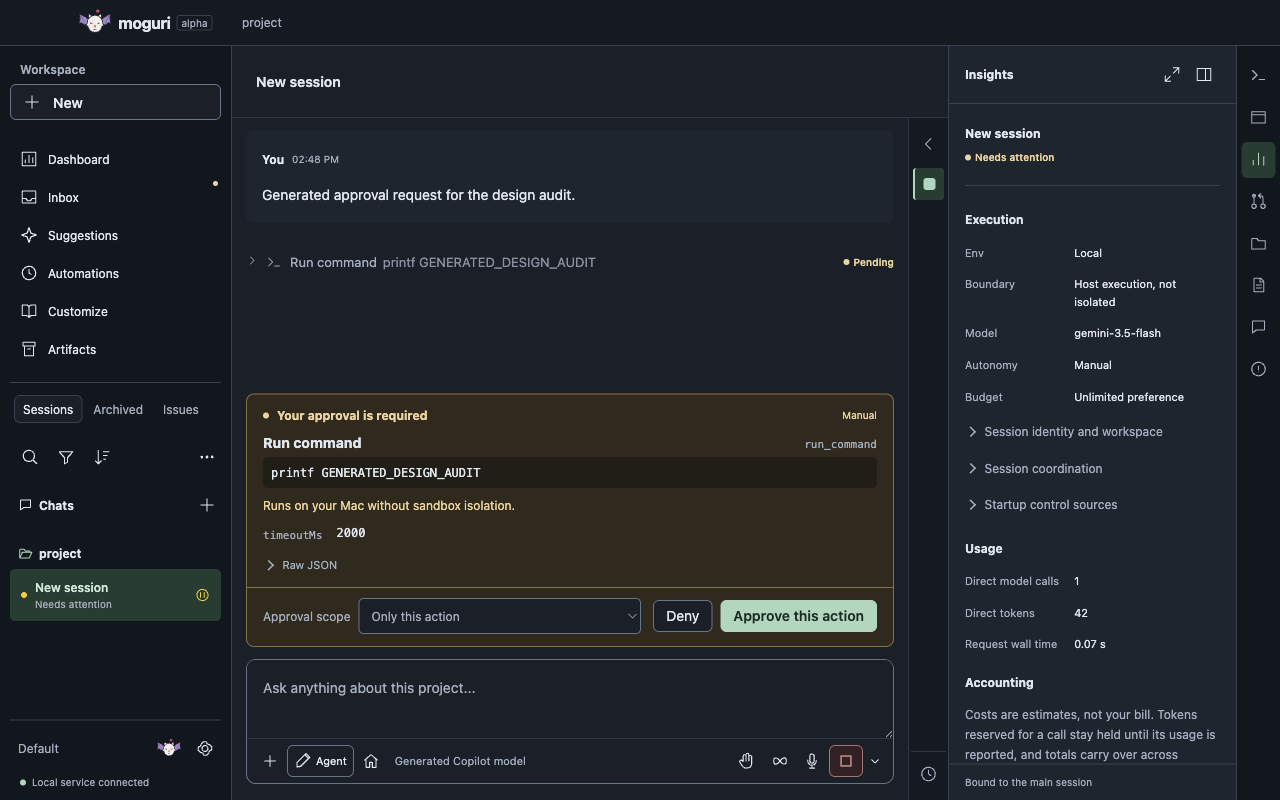
A pending tool approval card in Moguri. It shows the exact command printf GENERATED_DESIGN_AUDIT, warns that it runs on your Mac without sandbox isolation, and offers an approval scope menu, Deny and Approve this action. Open the full-size screenshot
Tool approval. Moguri 0.32.0-alpha.1 desktop app with generated test data.

Review changes in the app

Project sessions work in managed Git worktrees, not your original checkout. The Code change panel shows the session's diff, and a linked pull request adds its CI and review state.

Tools and integrations
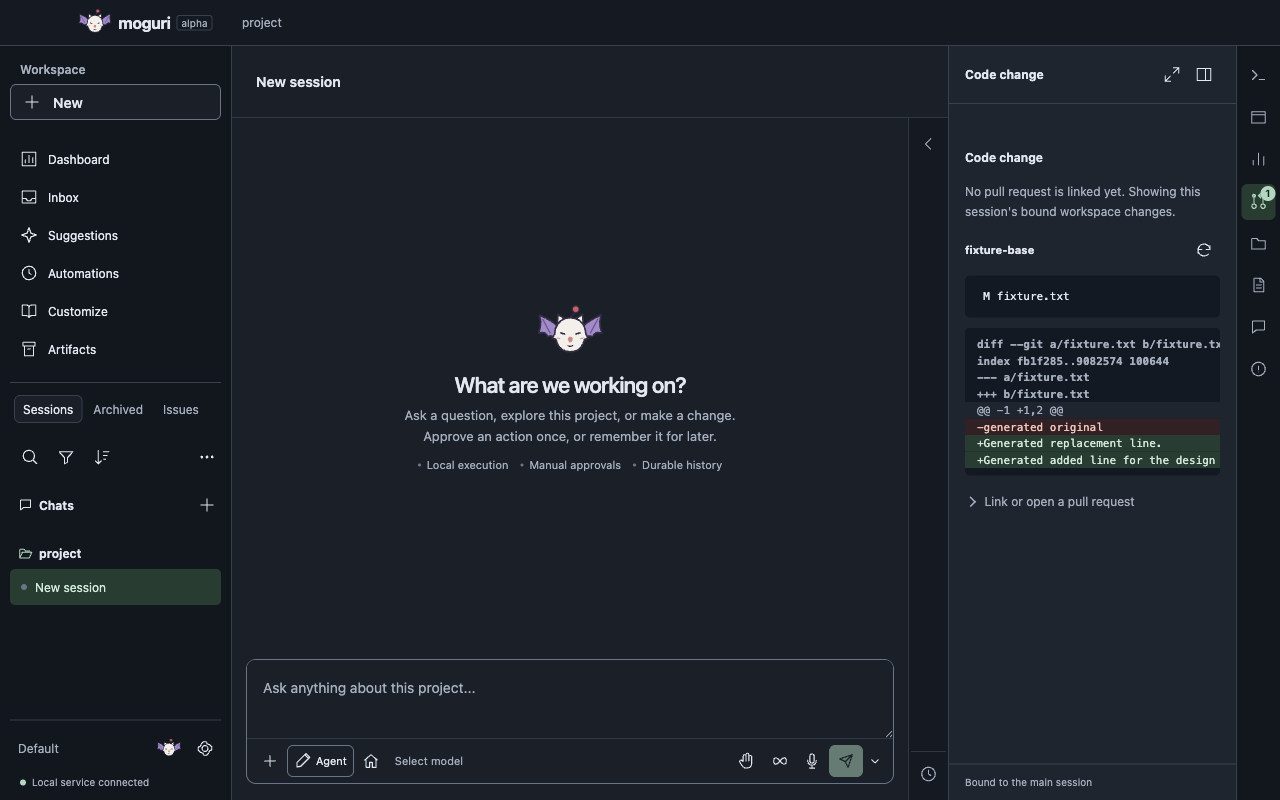
Moguri's Code change panel showing a generated fixture repository's workspace diff: one modified file with a removed line and two added lines, and an option to link or open a pull request. Open the full-size screenshot
Code change panel. Moguri 0.32.0-alpha.1 desktop app with generated test data.

Recurring automations

Run a prompt, or a workflow of prompts and repository-trusted scripts, once, every few minutes, daily or on chosen weekdays. Each run starts a new chat in its project with the model, Env, autonomy and budget you saved, and never gets extra permissions. Nothing runs until you turn it on.

Run recurring automations
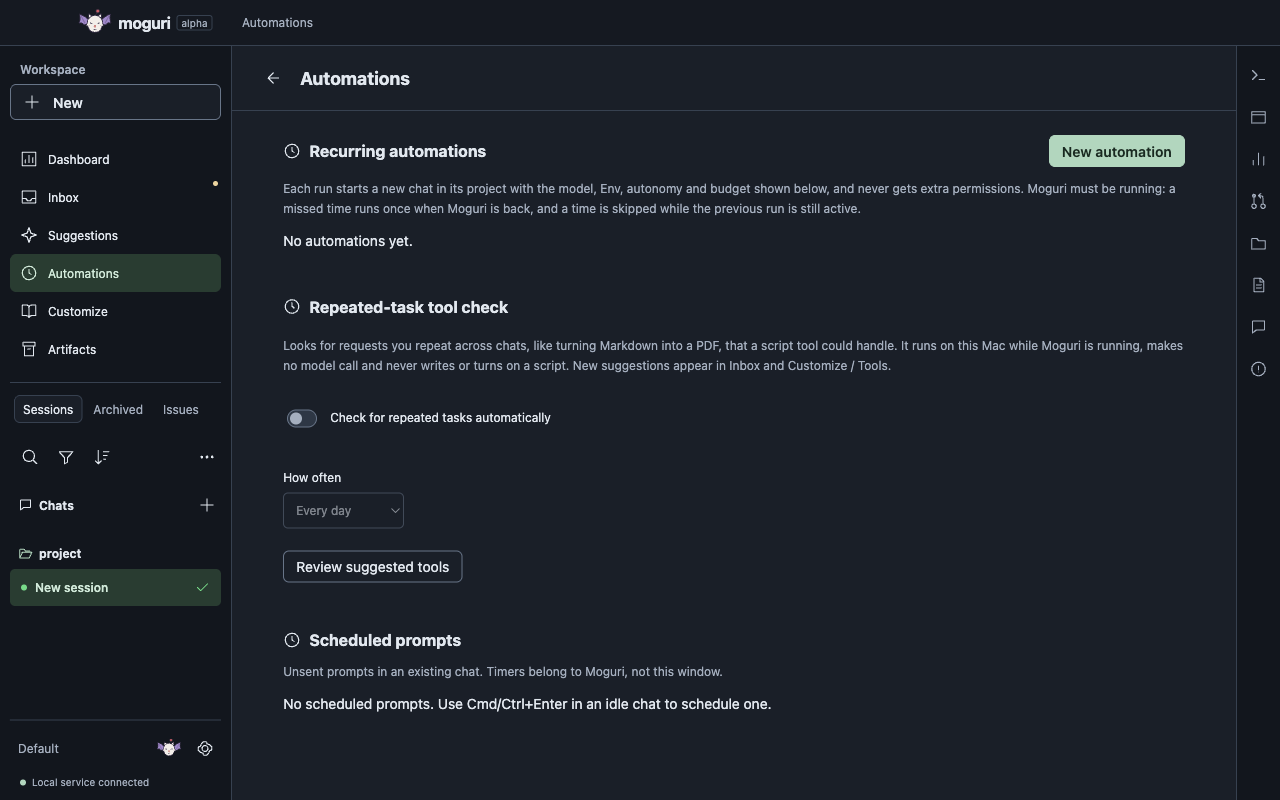
Moguri's Automations page with a New automation button and recurring automations, the optional repeated-task tool check with its schedule, and one-time scheduled prompts. Each run starts a new chat with the captured model, Env, autonomy and budget. Open the full-size screenshot
Automations. Moguri 0.32.0-alpha.1 desktop app with generated test data.

Settings in seven groups

General, Models, Integrations, Execution and permissions, Sessions, Instructions and Interface. Integrations and Interface each open one page with tabs. The Settings reference documents every page.

Settings reference
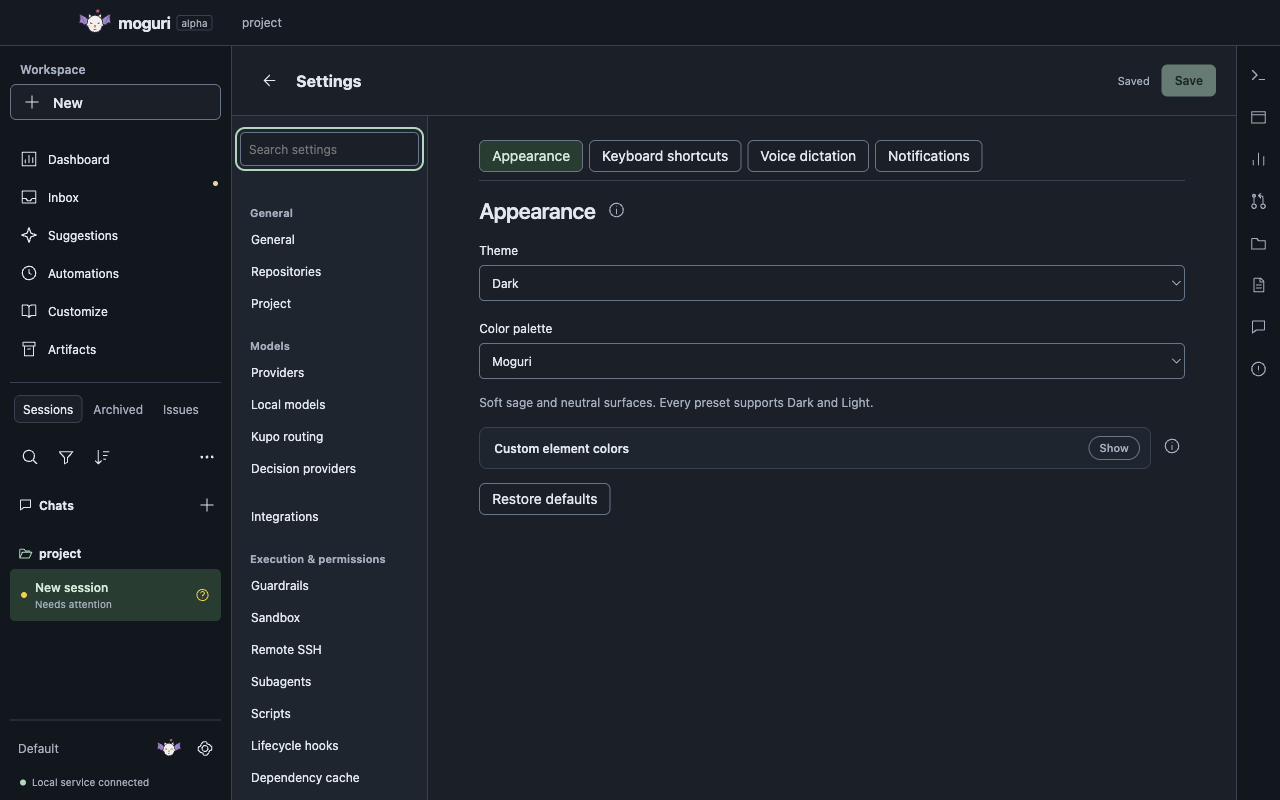
Moguri Settings with the simplified rail: General, Models, Integrations, Execution and permissions groups on the left, and the Interface page open with Appearance, Keyboard shortcuts, Voice dictation and Notifications tabs. Open the full-size screenshot
Settings. Moguri 0.32.0-alpha.1 desktop app with generated test data.

See what sessions are doing

The Dashboard follows active sessions. Analytics draws recent turns on a zoomable timeline that stays in memory for an hour. Usage and Cost show reported tokens and price estimates.

Models and budgets
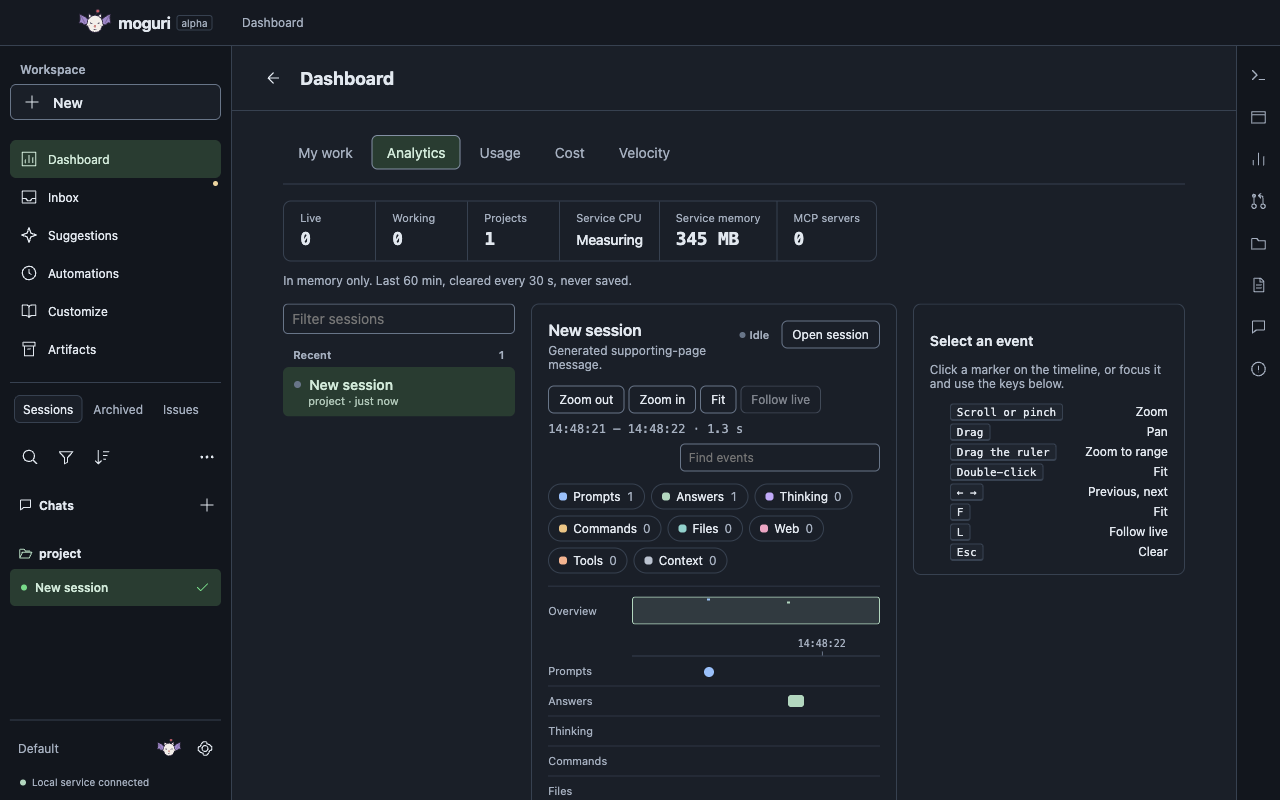
The Moguri Dashboard's Analytics tab with live counters, a generated session and a zoomable timeline of prompts and answers, kept in memory for one hour. Open the full-size screenshot
Dashboard analytics. Moguri 0.32.0-alpha.1 desktop app with generated test data.

Commands from the keyboard

Press Cmd+K in the desktop app or Ctrl+K in the terminal UI to find any command. Keyboard shortcuts are configurable in Settings.

CLI and shortcuts
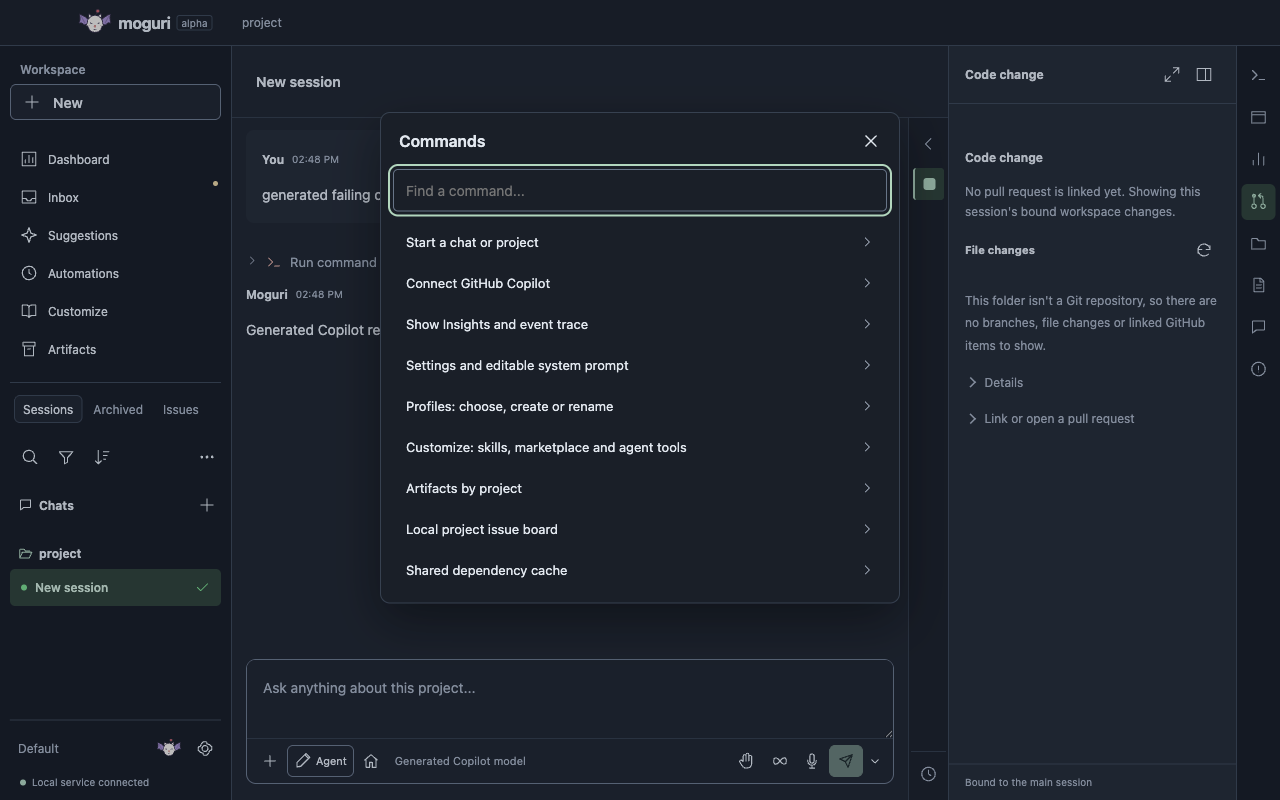
Moguri's command palette listing commands such as Start a chat or project, Connect GitHub Copilot, Settings and editable system prompt, and Shared dependency cache. Open the full-size screenshot
Command palette. Moguri 0.32.0-alpha.1 desktop app with generated test data.

Also in the current alpha

  • Streamed conversations with Queue, Steer and Interrupt delivery, saved drafts, held prompts and one-time scheduled prompts
  • Native file, terminal and browser tools with reviewed approvals and a website allowlist
  • Kupo automatic routing, cascade and critique workflows, context compaction and per-call accounting
  • Chats that a quit, restart or crash interrupted can be continued, and closing the app saves unsent drafts first
  • Local Git, GitHub issues, pull requests, reviews, CI watching and releases, typed GitHub tools for agents with reviewed writes and draft PRs only, plus optional Linear workflows
  • Customize for skills, a skill marketplace and script tools that work in every chat, plus plugins, an MCP gateway, repository memory and optional OpenTelemetry export, off by default where they affect privacy
  • Inbox, profiles, ten themes in Dark and Light, and local voice dictation
Implemented capabilities, in full

Desktop, terminal and SDK

Every client talks to one local service through the same typed SDK, so a session you start in the terminal continues in the desktop app.

Desktop

The Electron app

Conversations, files, code changes, a terminal and Insights sit next to each session. Answer questions and approvals where the work happens.
  • Project sessions use their own worktrees.
  • Project-free chats work from your home folder.
Getting started
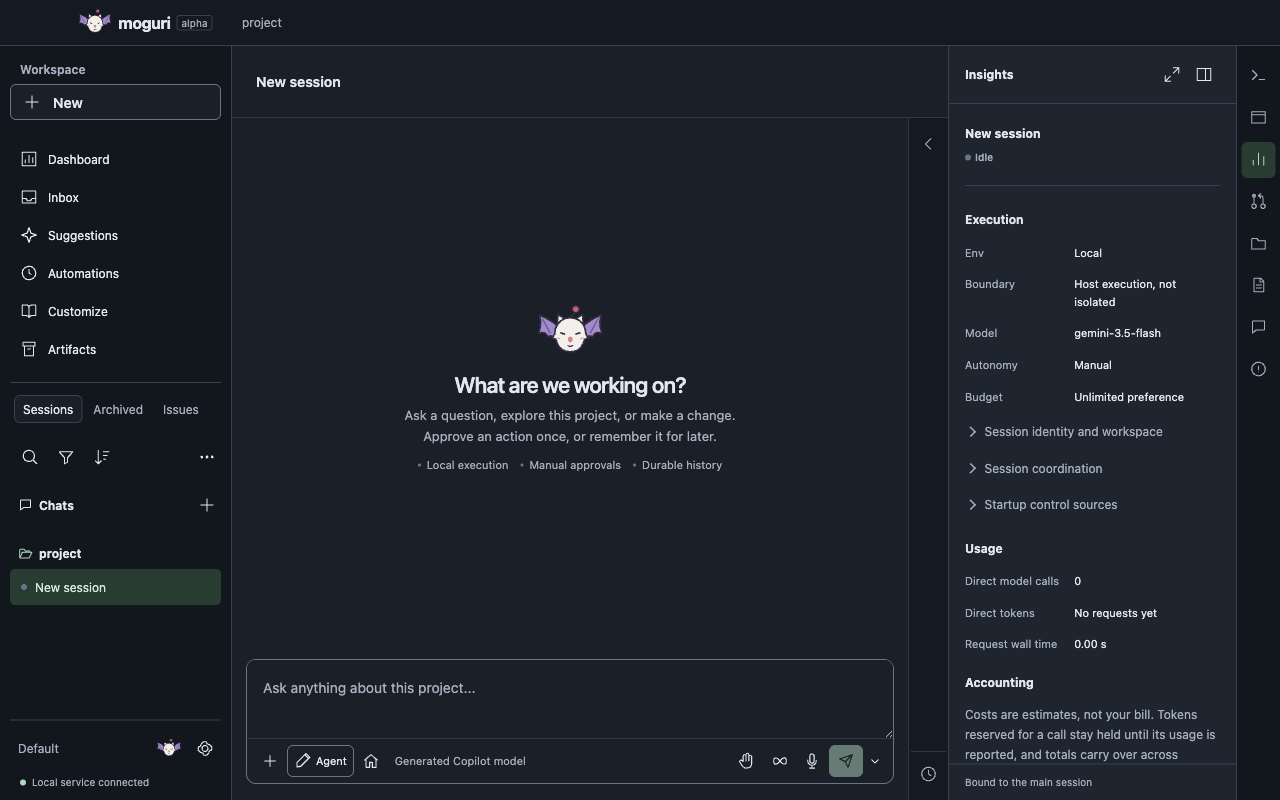
A new, empty Moguri session asking What are we working on?, with Local execution, Manual approvals and durable history noted under the prompt box. Open the full-size screenshot
New session. Moguri 0.32.0-alpha.1 desktop app with generated test data.
CLI and OpenTUI

The terminal UI

The TUI opens on a project. Press Ctrl+L to sign in to GitHub Copilot, Ctrl+M to choose a model and Ctrl+K for commands. Leaving the TUI keeps the shared service and its sessions running.

  • Enter sends. Shift+Enter adds a newline.
  • Expand tool arguments and output when you need them.
CLI and shortcuts
Terminal illustration
An illustration of the terminal UI, not recorded output.
SDK

Build your own client

The importable SDK exposes sessions, models, permissions, tools and a native MCP gateway. Moguri's own clients use the same APIs.

It isn't published to a package registry yet.

SDK quickstart
SDK and client architecture
DesktopCLI and TUIYour client
Moguri SDKSessions, models, permissions, tools
One local service
Client architecture diagram.

Alpha, and honest about it

The first milestone was accepted on 15 November 2026 for version 0.32.0-alpha.1, using full local test runs with generated models and fixtures. That proves the controls work. It doesn't measure any provider's answer quality or your real bill.

Works today

Implemented

  • Desktop, TUI, CLI and SDK on one local service
  • Local, Remote SSH and Sandbox environments
  • Approvals, budgets and per-call accounting
  • Recurring automations and workflows
  • GitHub, Linear, MCP, skills and dictation
Implemented capabilities
Not available yet

On the roadmap

  • A published release and a Homebrew cask
  • App-wide accessibility verification
  • Dependency roundups, continuous personas and Slack mentions
  • Stainless MCP, Laya and steering from your phone
Roadmap
Known limits

Before you install

  • macOS on Apple silicon only. No Intel, Linux or Windows builds.
  • Builds are ad-hoc signed and not notarized by Apple.
  • The source repository isn't public yet.
Product vision, not yet built